Local-first · open source · works on your Logseq graph

The same graph.
A faster outliner.

Tine is a fast, local, Logseq-compatible outliner. It reads and writes the same Markdown files Logseq does — so you can switch between the two whenever you like, with no import, no export, and no lock-in.

Linux · macOS · Windows · Android (F-Droid) · iPhone & iPad (beta)
Free & open source (AGPL-3.0). Not yet 1.0.

Recorded in the live Guide — a real Tine export you can try in your browser.

Try it right now — in your browser

The Guide is Tine's own documentation graph, published with Tine's live export. It's read-only, but everything else works: Ctrl+K search, tabs, split view, back/forward, linked references. It's the quickest way to feel how Tine moves.

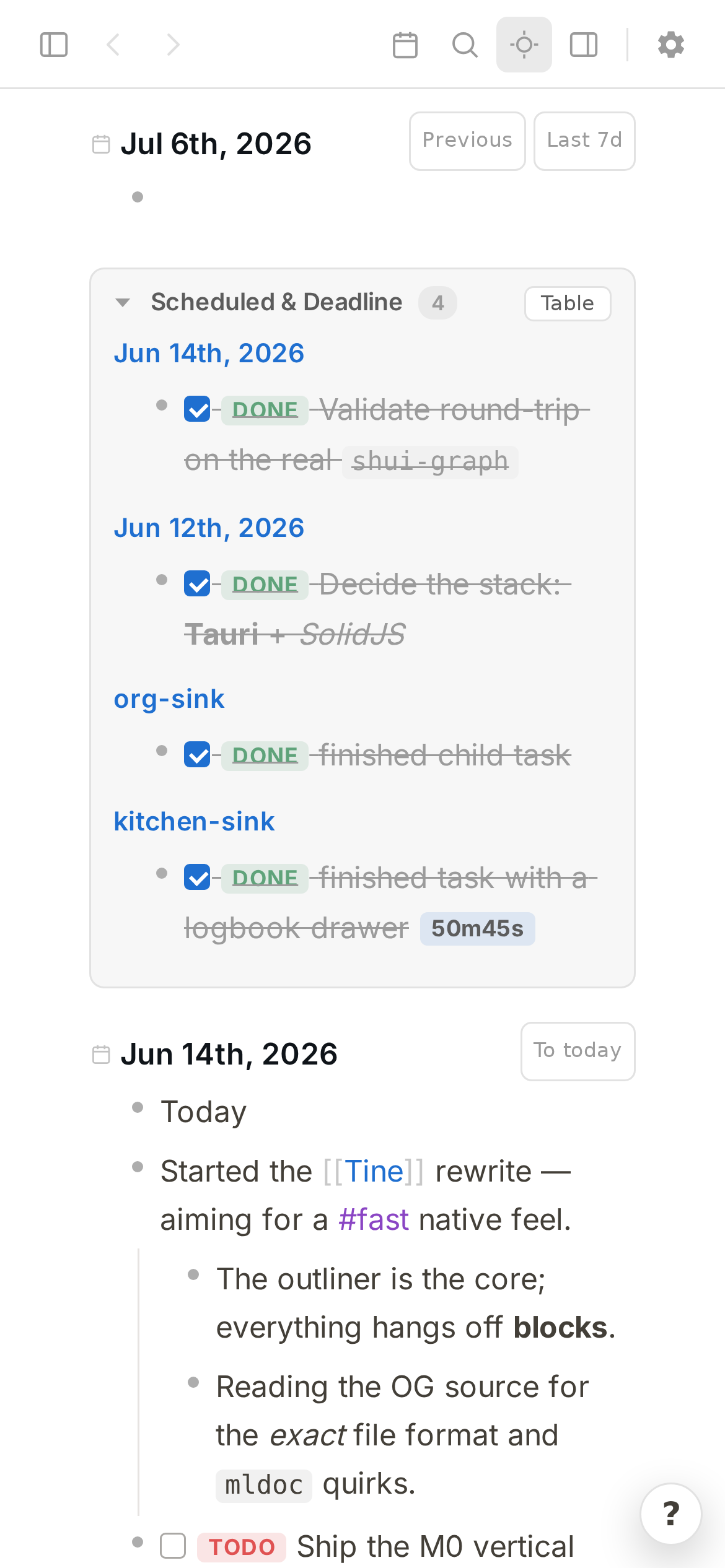
Fast on every device you own

The same Rust core and the same Markdown files on Linux, macOS, Windows, Android, and iPhone / iPad — so your graph opens quickly on the phone too, over the sync you already use.

  • Desktop — Linux (AppImage, .deb, .rpm), signed & notarized macOS, Windows installer or portable zip. Releases
  • Android — on F-Droid with automatic updates, or the signed APK from GitHub.
  • iPhone & iPad — public beta on TestFlight; no App Store listing yet.
Tine running on Android — a journal feed with tasks and nested blocks on a phone

Built to sit beside Logseq — not replace it

Tine isn't a fork or a clone trying to pull you away. It's an independent reimplementation that deliberately targets Logseq's on-disk format, so your notes stay plain Markdown files you fully own.

Logseq
Tine

What Tine adds on top

These started as "I wish Logseq did this." You get them without giving up a single feature of your file format.

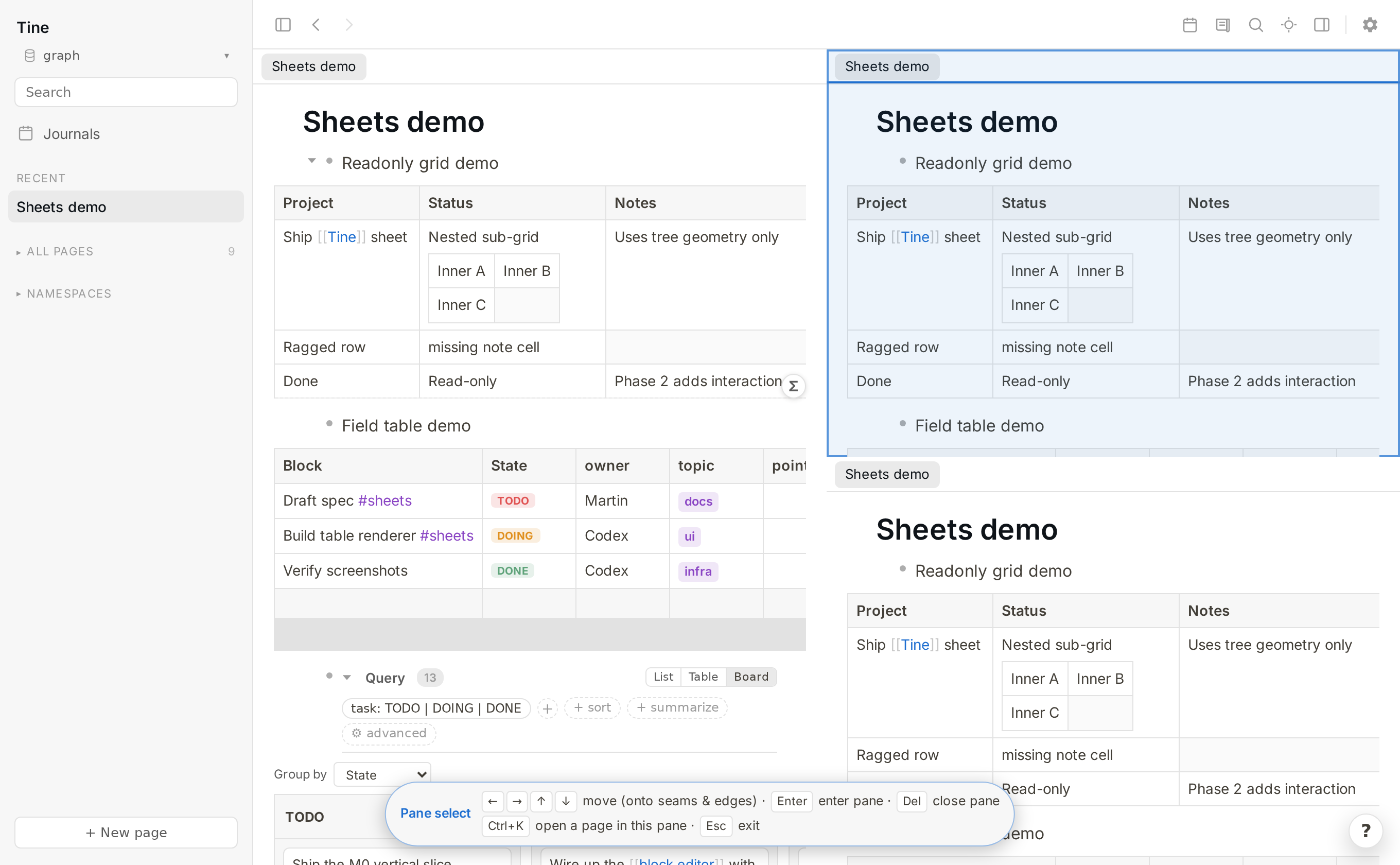
Three panes — a tall sheet on the left, two stacked panes on the right — with the top-right pane highlighted in pane-select mode

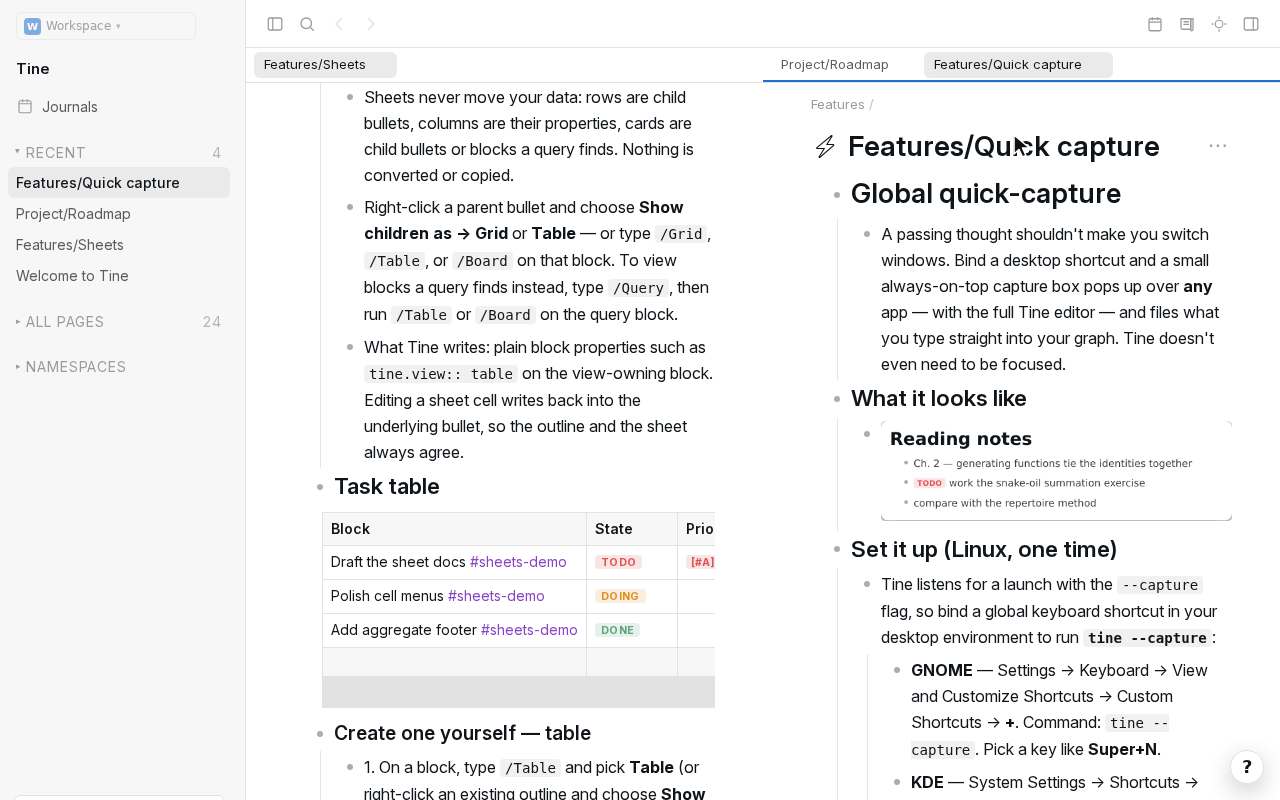
Split view and tabs

Split the window into panes, each with its own tabs and history. Alt+click opens a link beside what you're reading; Ctrl+click or middle-click opens it in a background tab. Pin and drag tabs, move them between panes, and navigate panes from the keyboard. The layout survives a restart.
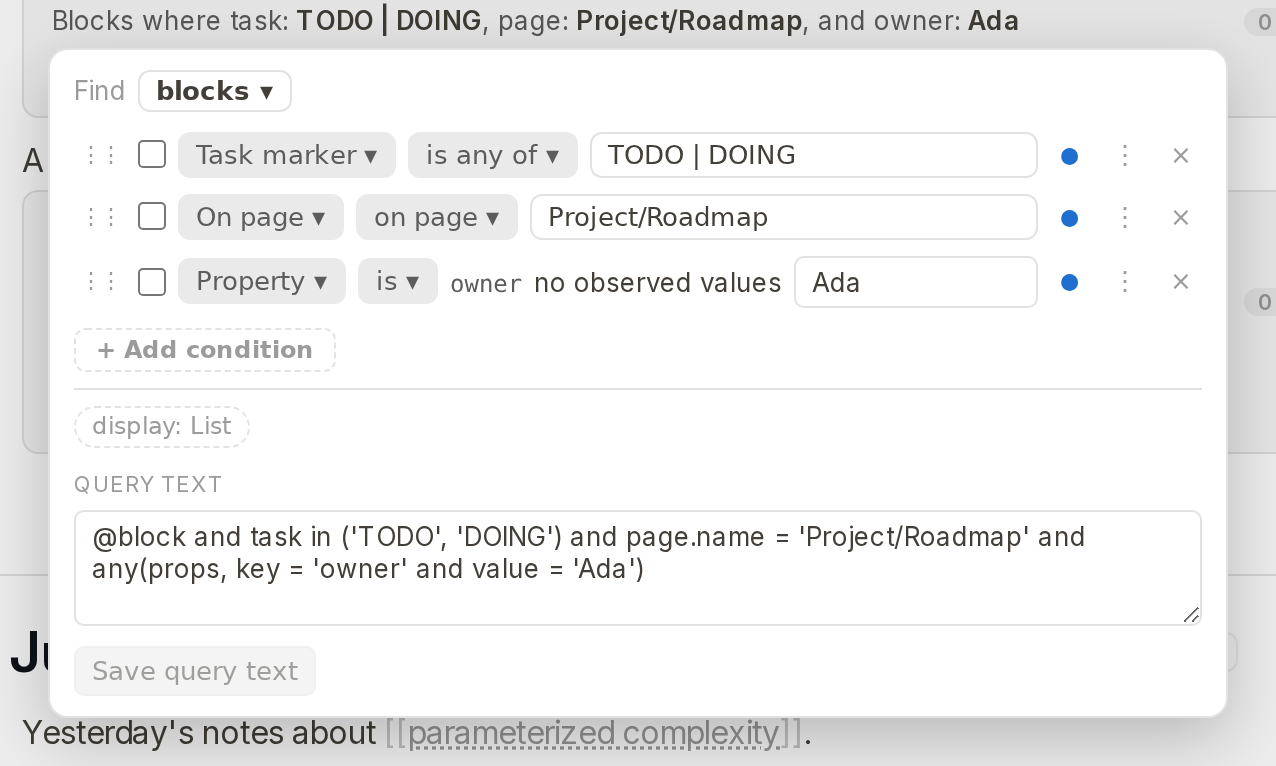
The visual query builder with task, page and property conditions, and the query text below it

Search that becomes a query

Open every Ctrl+K result in a persistent tab, refine it with friendly filters, and view the same matches as a list, table, or board. The visual query editor and the query text stay in sync — edit either one — and an empty result can tell you why it's empty. Name it when it deserves to become a query page.

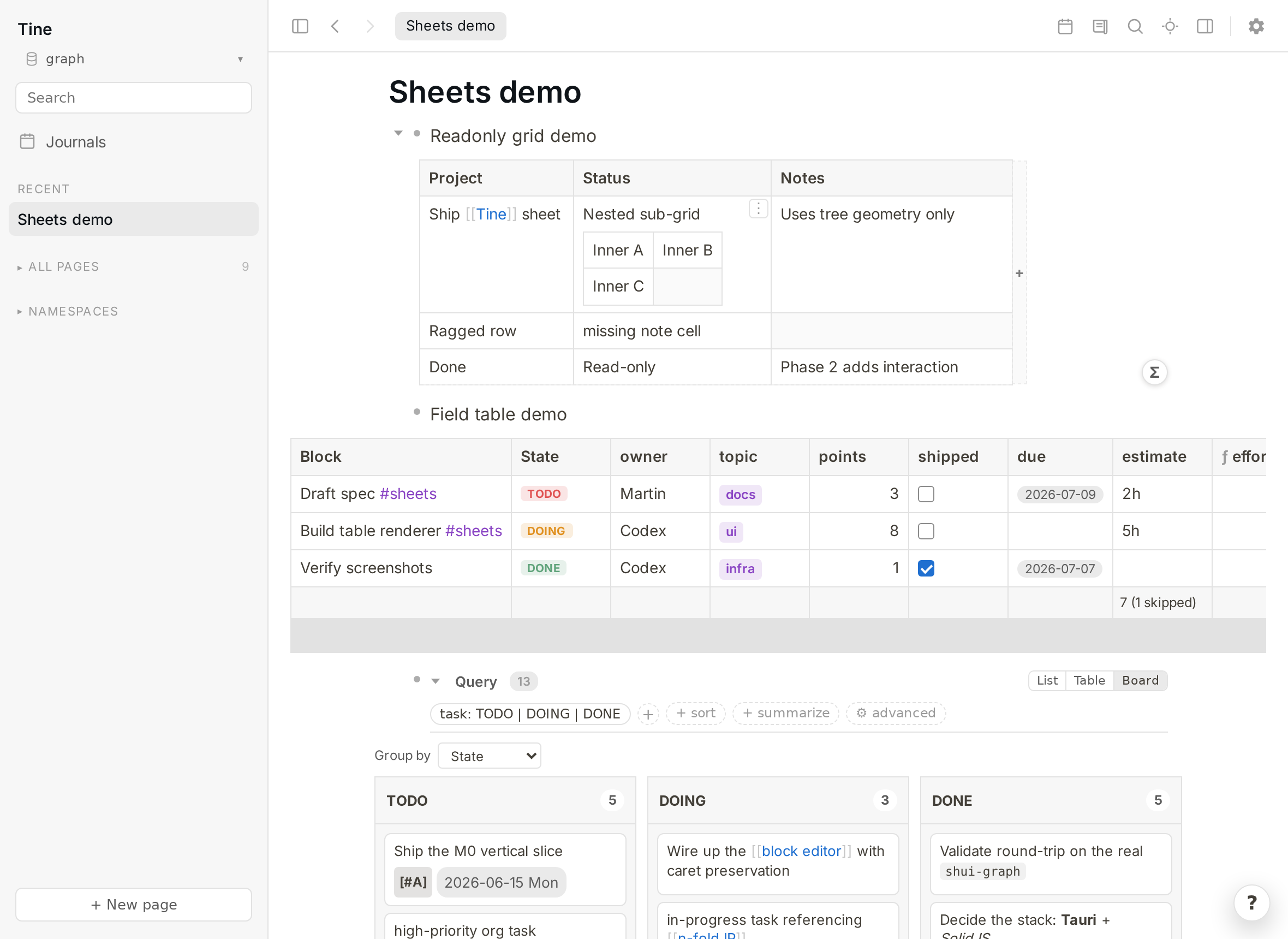
A Tine page showing a grid, a typed field table, and a task board over plain bullets

Sheets

Turn any bullet and its children into a spreadsheet-style grid, a typed field table, or a board — with formula columns, filters, aggregates, group-by, and CSV/TSV import. It's all still plain Logseq Markdown; the views are harmless tine.* properties Logseq quietly ignores.

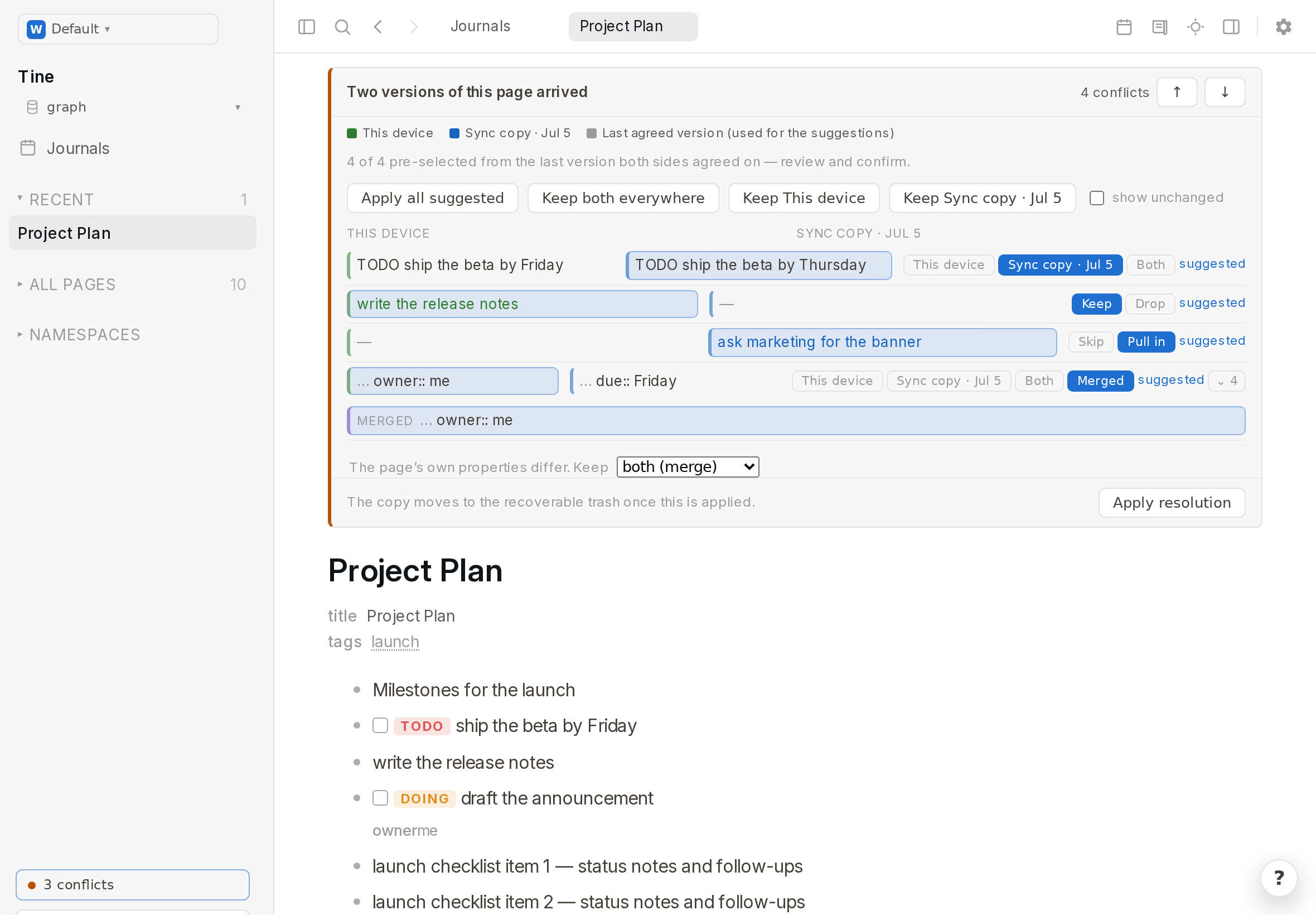
Concord's in-page review of two versions of a page, block by block, with a suggestion for each difference

Concord: calm conflicts, whatever you sync with

When Syncthing, Dropbox or git leaves two versions of a page, Tine shows them side by side block by block, pre-selects a suggestion from the last version both sides agreed on, and lets you keep either, both, or a merge. A big git checkout or sync burst is handled as one calm update, not a storm of reloads.

The Tine Guide published as a website with Tine's live export

Live export: publish a graph that still feels like Tine

Export pages as a static site that keeps search, tabs, split view and navigation working — no server needed. The Guide is exactly that. From the app, or tine export live ~/notes from the command line; your publication settings decide which pages go out.

Quick-capture with a page title filled in, capturing to a new page

Global quick-capture

Bind a desktop hotkey and a small always-on-top box pops up from any app — with the full editor — and files a bullet to today's journal, or to a new page. Even when Tine isn't focused.

And a lot of smaller things

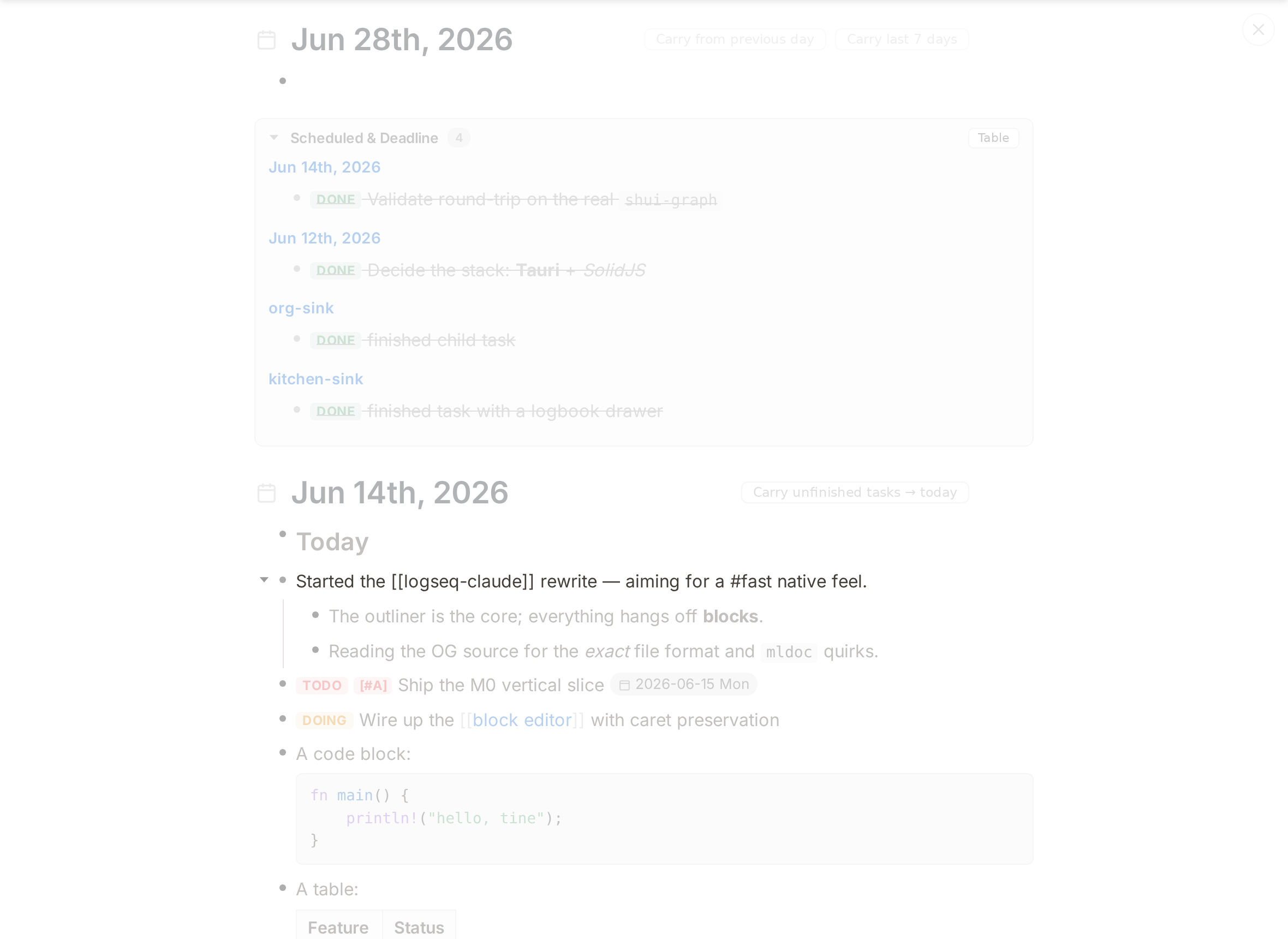
Focus mode with inactive blocks dimmed
Focus & dim — fade everything but the block you're on.
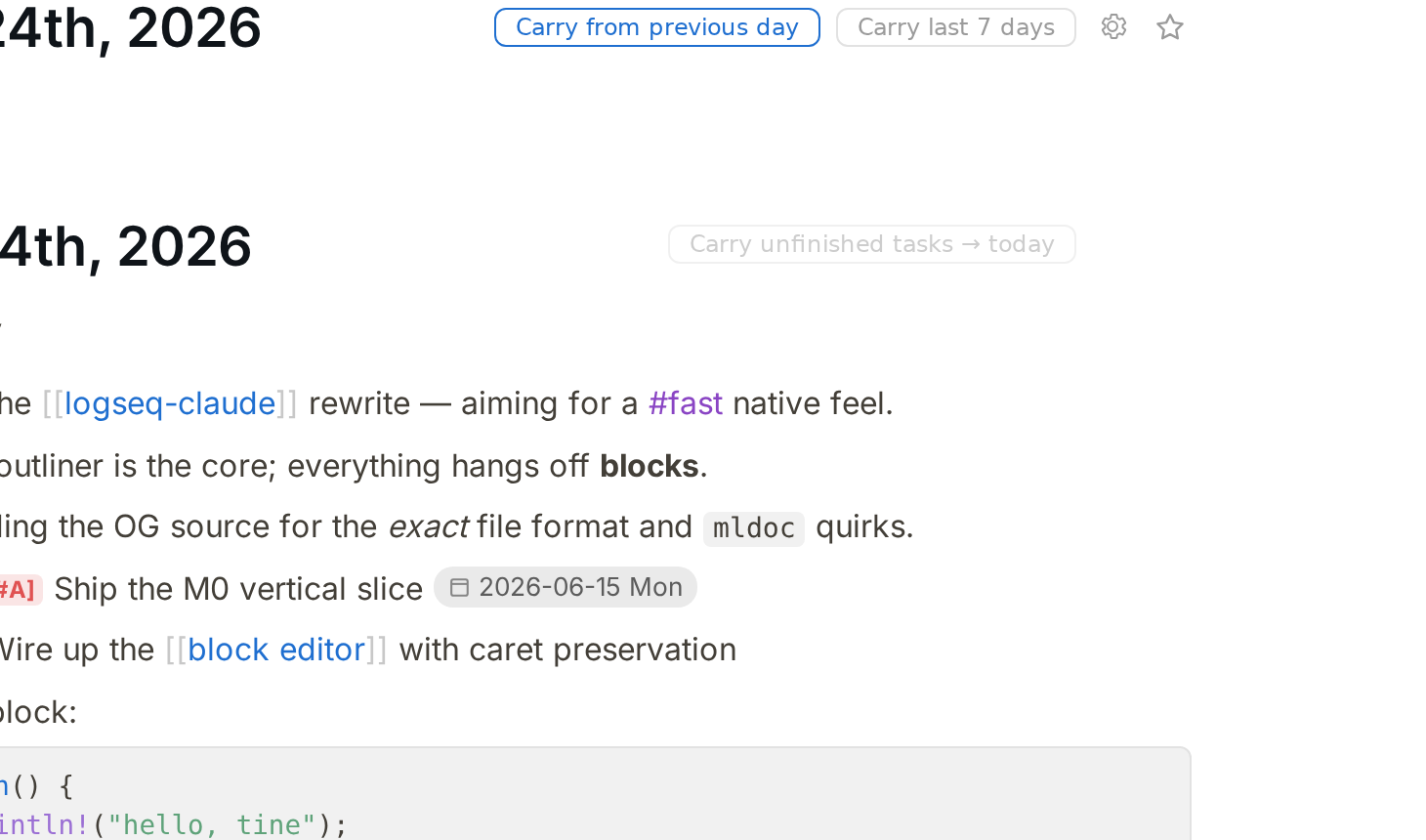
Carry unfinished tasks forward to today
Carry tasks forward — roll unfinished tasks into today, with context.
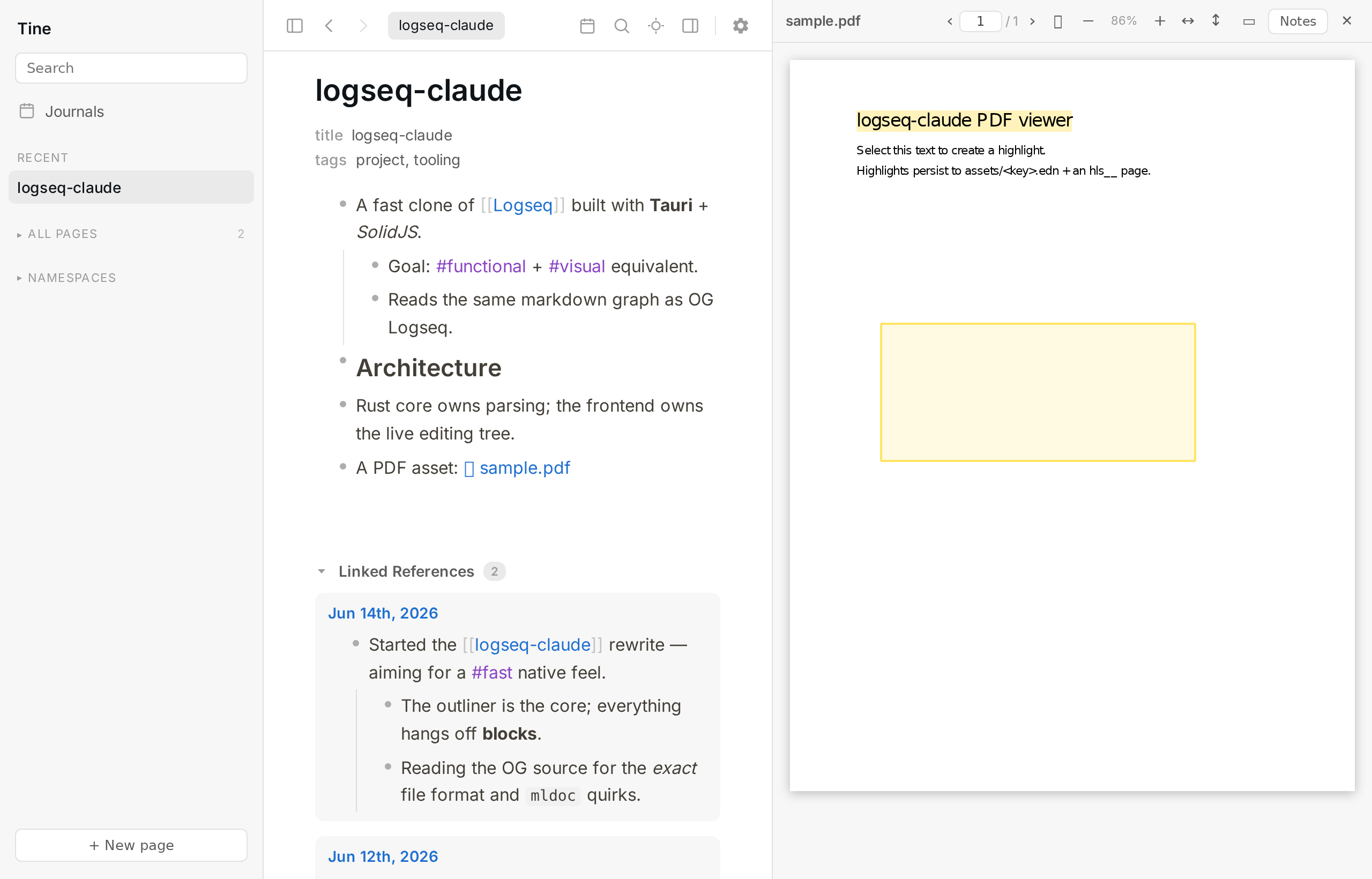
PDF text and area highlighting with a notes page
PDF annotation — text and area highlights, stored Logseq-style.
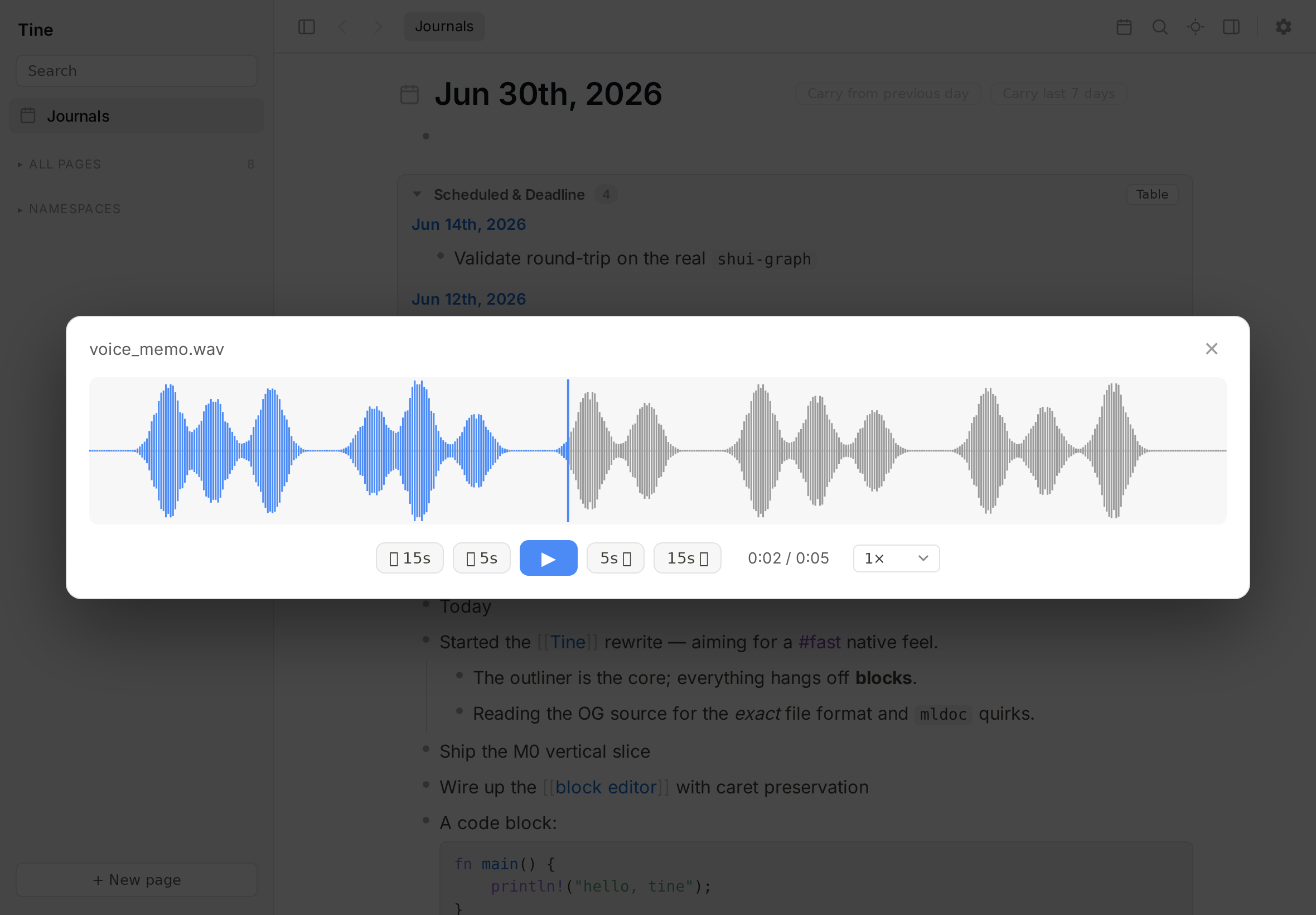
Audio waveform overlay player with skip and speed controls
Audio waveform player — scrub, skip, change speed.
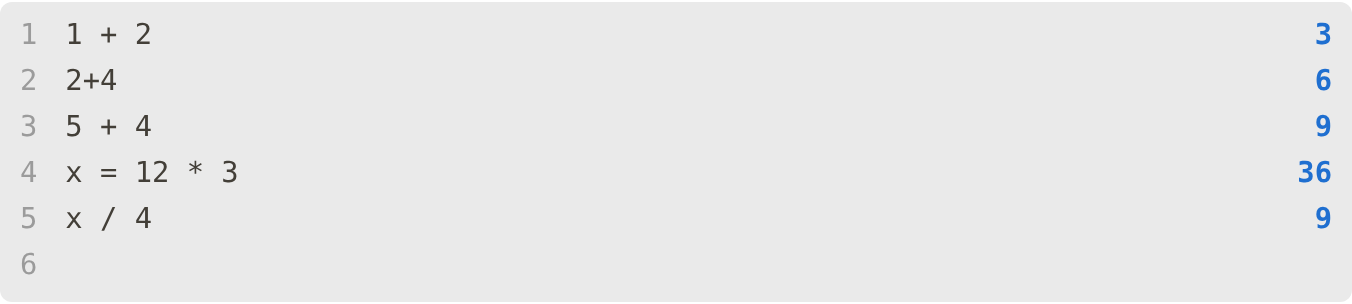
A live /calc block evaluating arithmetic with a variable
Live /calc — a Logseq feature, preserved.
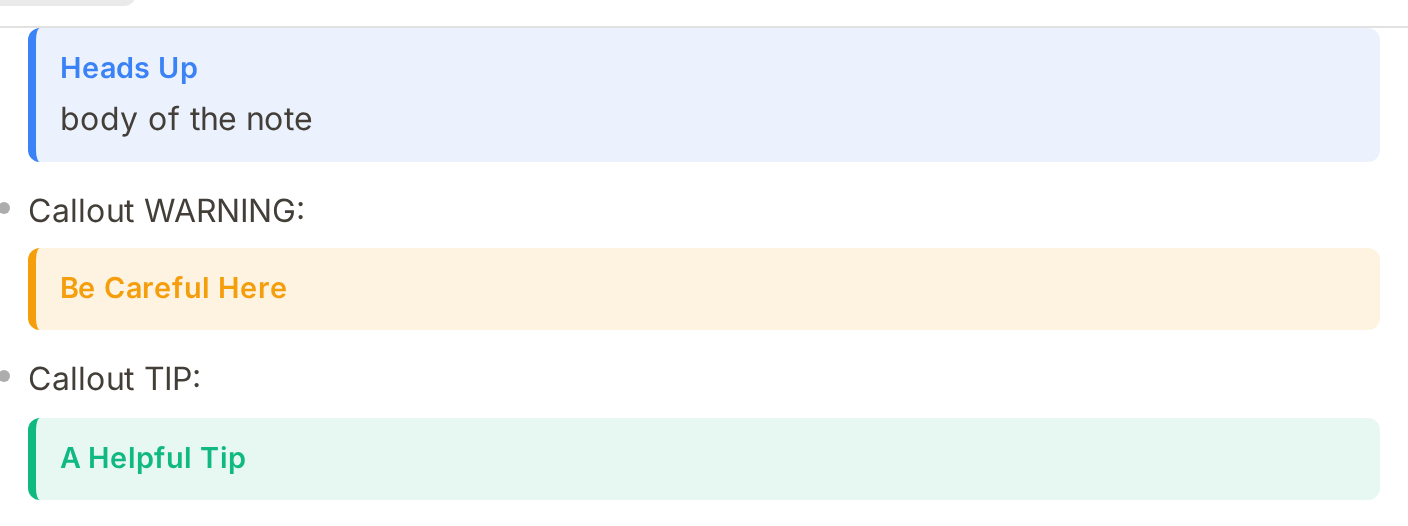
Colored note, warning, and tip callouts
Callouts — same syntax as Logseq.
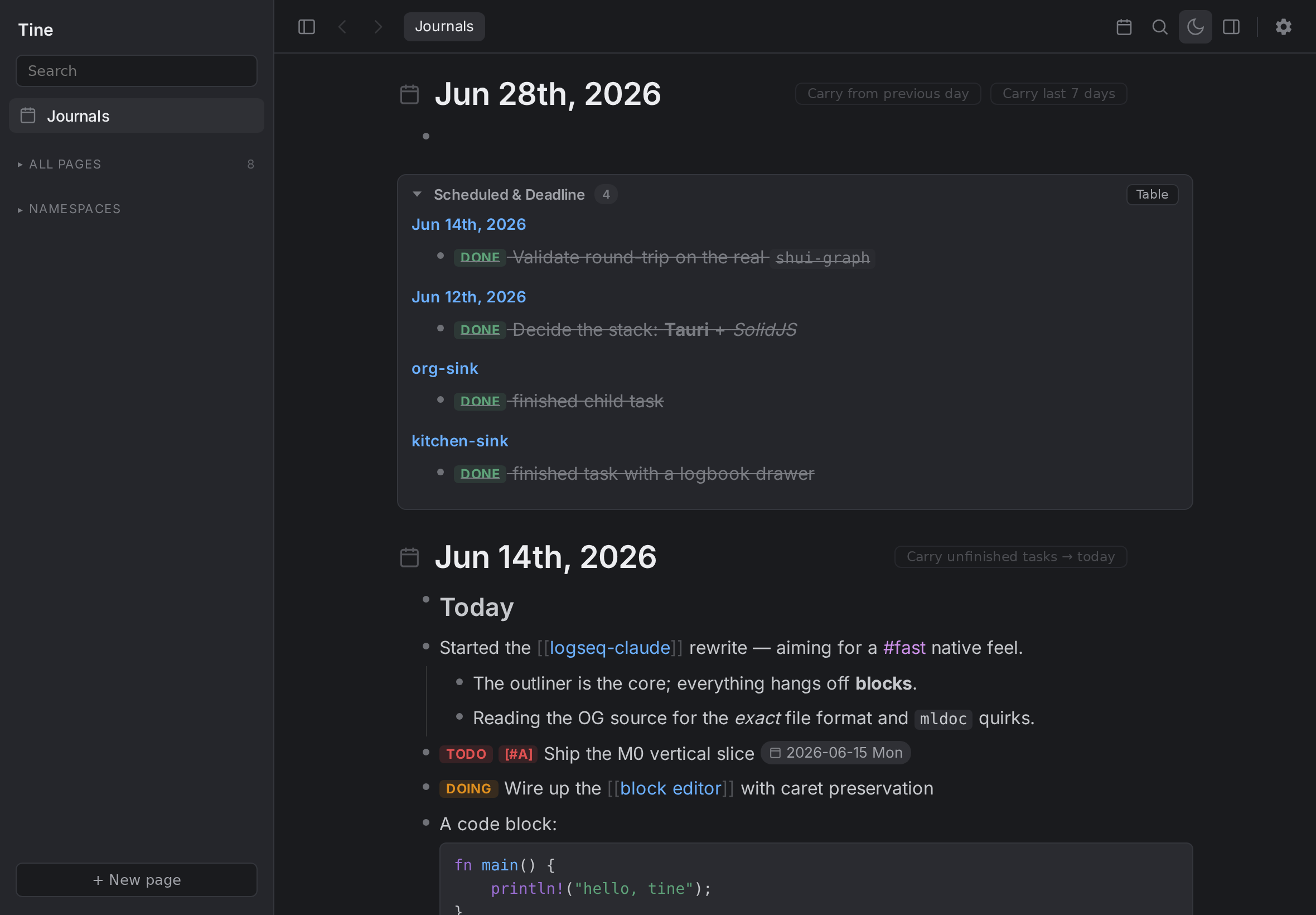
Tine's journals feed in dark mode
Light or dark — follows your system; your custom CSS still applies.
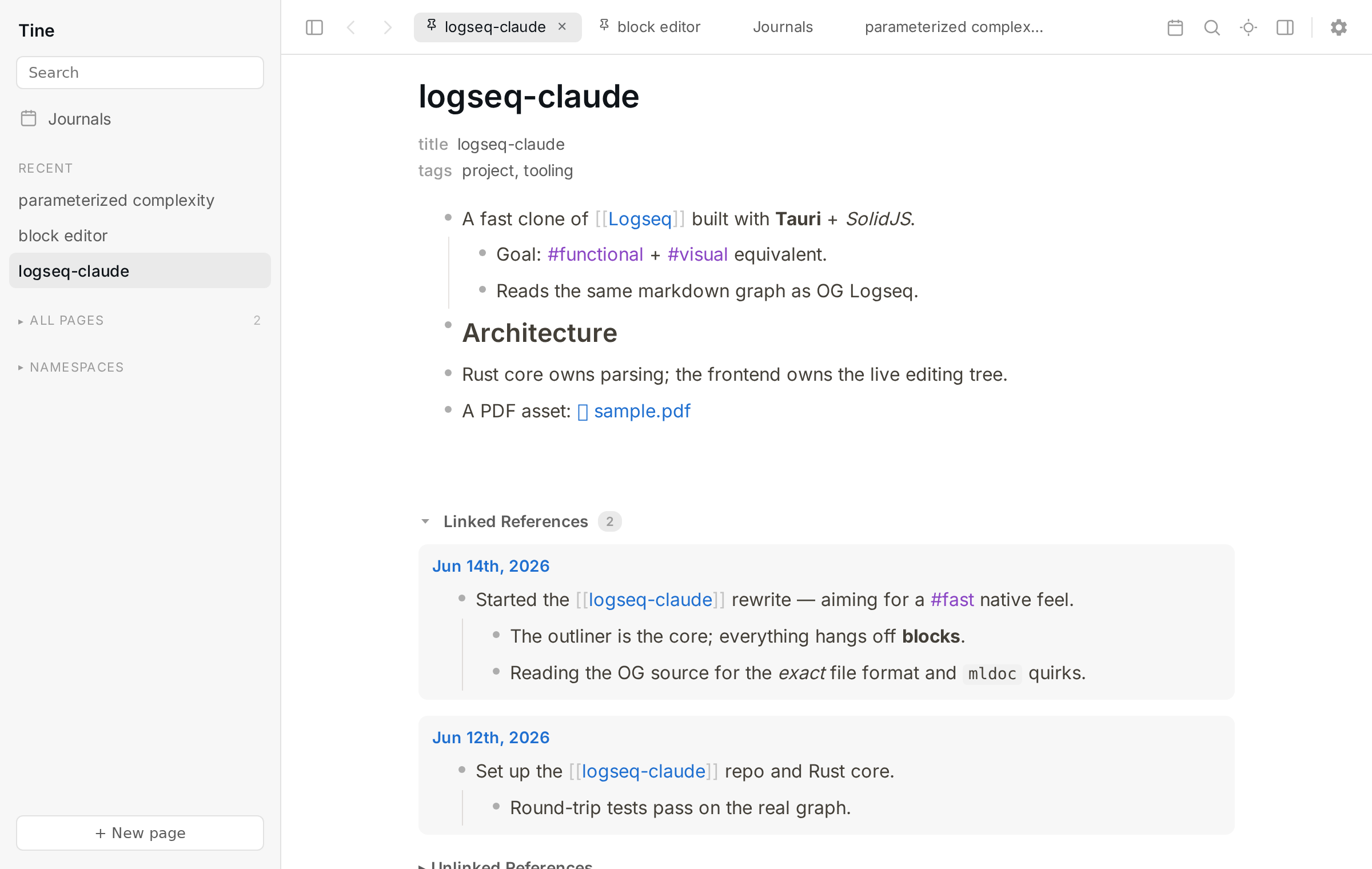
Built-in tabs across the top of the window
Built-in tabs — pin, reorder, and an overview when they no longer fit.
Better defaults — always one click back to Logseq. Anything Tine does differently is badged Differs from Logseq in Settings, with a ↩ Match Logseq button.
  • Copy only the selected blocks — selecting just a parent no longer copies its whole subtree. (Logseq copies the subtree — one click to restore.)
  • Strip collapsed:: on copy so a paste into a text editor is clean. (Toggle off to match Logseq.)
  • Click a block reference to scroll to it in place, or switch back to Logseq's zoom-in behavior.
  • Link-autocomplete default — create a new page (like Logseq) or link the first match.
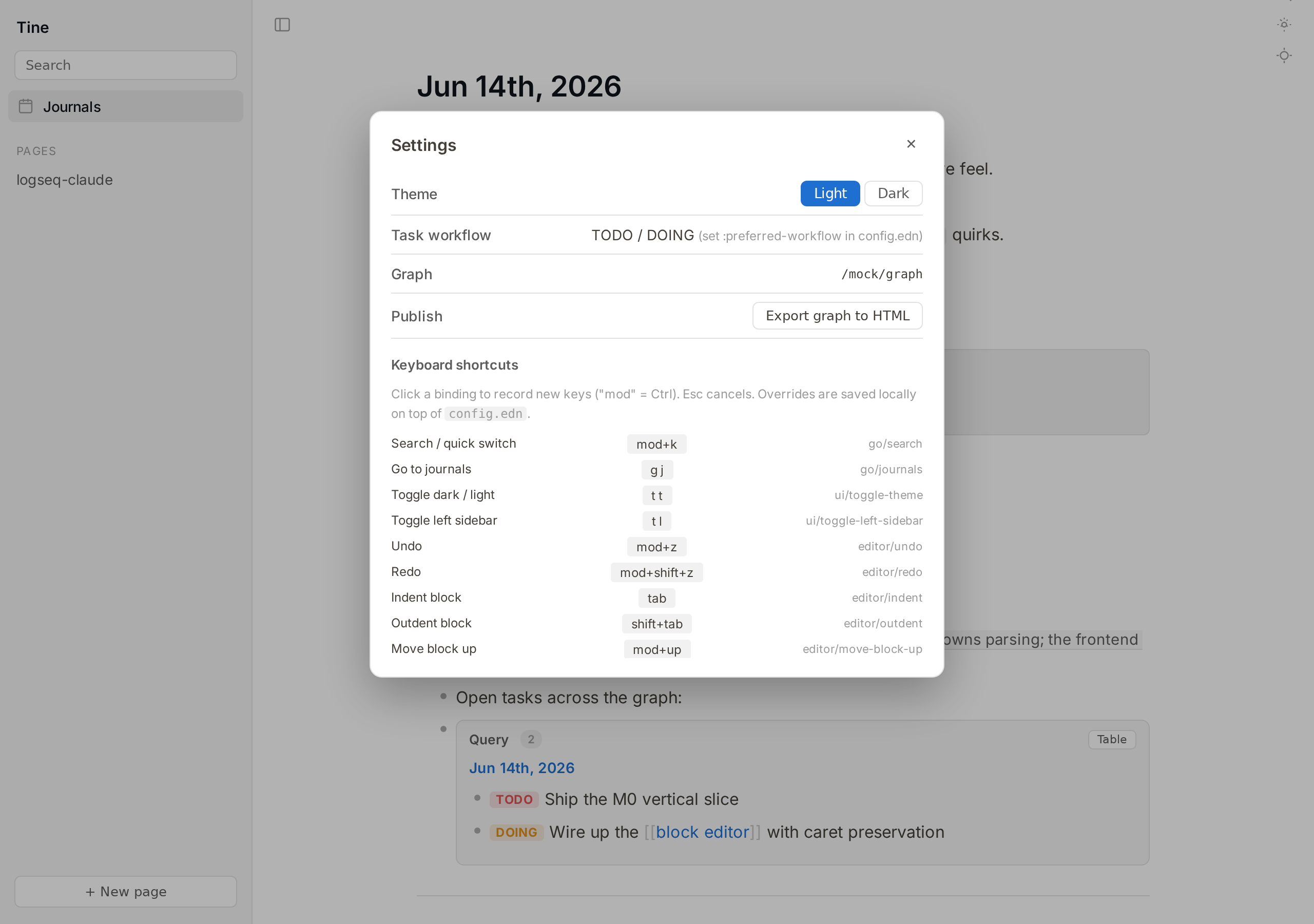
  • Fully remappable keyboard shortcuts — in Settings or via config.edn :shortcuts.
  • Journal date format, file-format, and watcher mode — all read from your config.edn and adjustable in-app.
Settings panel showing remappable shortcuts and revertable options

Safe with your notes, open about how it's made

Careful with your files

  • Native speed without risk — a pure-Rust core and a tiny native runtime, no Electron; typing never waits on disk.
  • Conflicts are detected, never silently overwritten — and reviewed block by block with Concord.
  • Launch snapshots with one-click restore, delete-to-trash, and transactional renames.
  • No lock-in — it round-trips byte-for-byte with Logseq, so you can walk away at any time and lose nothing.

Built by AI, in the open

Tine is vibe-coded — built by Claude Code, with help from Codex, under human direction and review. We're not hiding that, and we're not making a thing of it either; it's simply how Tine is made.

AI-built software makes some people wary — fair enough. So Tine is made to be checked, not taken on faith: every line is open source (AGPL-3.0), and it only ever touches plain Markdown you already own. Point it at a copy of your graph and judge it by how it behaves.

AI writes the code — the human writes the reflections: a short note per release, in my own words. Read “The Human's Blog” →

Not in Tine, by design: whiteboards, flashcards, Logseq/Obsidian plugin compatibility, and built-in sync (bring Syncthing, Dropbox or git). For those, keep using Logseq on the same graph — running both is the whole idea. On the radar: a graph view. Full comparison →

Try it on a copy of your graph

Nothing to import, nothing to migrate — point Tine at a copy and see how it feels.

Community

Everything happens on GitHub: questions, ideas and screenshots in Discussions; bugs and feature requests in issues.

Support Tine

Tine is free and built in the cracks of a busy life. A coffee genuinely makes me happy and goes first toward running costs. One honest thing: it won't move Tine up my list or buy a feature — it's a thank-you for what exists, no obligations either way. 🌱